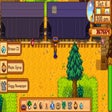
A free mod for Stardew Valley, by yuri0r.
ToolBelt is an extension of the popular Selection Wheel mod for Stardrew Valley.
Top Recommended Alternative

If you're tired of selecting between your different tools and have been searching for a way to easily switch between them, this is the perfect solution for you!
Installation
Download and install ToolBelt from the Google Play Store.
You can now easily switch between tools by just pressing the left thumb button on your controller.
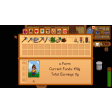
The left thumb button will also be used to select items in the inventory.
If you don't want to use the left thumb button, you can set "UseBackdrop": false to keep the old style going.
The selection wheel will be displayed when you press the left thumb button.
If you want to set the left thumb button as the default button to open the selection wheel, press the b button on your controller.
If you don't like editing the config file, you can set "Generics Mod Config Menu": true to open a config menu that allows you to change the default button to open the wheel.
How to use ToolBelt
As you're using a controller, you need to first configure ToolBelt.
When you're ready, press the left thumb button on your controller to open the selection wheel.
You can now select between your different tools and easily switch between them.